Keep the amount consistent.
With a supported integration, staff can avoid re-keying the amount on a separate terminal. Ask what happens if a payment is cancelled or declined, as well as when it succeeds.
Card payments for shops & boutiques
Card machines, EPOS connections and payment guidance for the way your shop works. From the first customer to closing the till.
Reeve Consult · Authorised partner

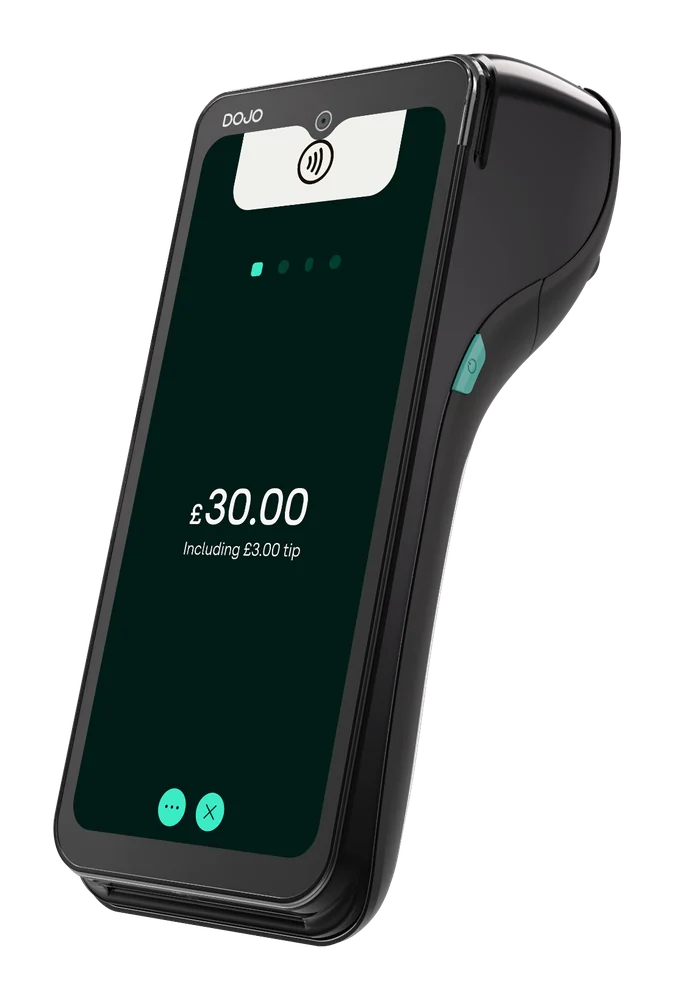 DOJO Go Max ↗
The quick answer
A suitable card machine, a dependable connection and a clear way to match payments to sales. The right combination depends on your shop, your till software and where your customers pay.
A single-counter boutique has different needs from a shop with several tills or a team taking payments around the premises. Start with those practical differences. Then compare the proposed costs and contract against what you use today.
Your checkout locations, EPOS and staff workflow.
Compatibility, total charges, terms and support.
From basket to receipt
A payment connection is only useful when the whole checkout works. Ask to see the tasks your staff repeat every day.
With a supported integration, the till passes the payment amount to the terminal. Confirm this with your EPOS supplier.
Staff and customer follow the terminal prompts. Check the payment methods and receipt workflow you need.
Check how a successful payment, a decline and a refund are recorded. Integration capabilities vary by setup.
Example only, not a live payment. Supported integration required; confirm your specific EPOS and configuration.
With a supported integration, staff can avoid re-keying the amount on a separate terminal. Ask what happens if a payment is cancelled or declined, as well as when it succeeds.
Try a refund and a partial refund. Check who can authorise them, what happens to the till record and how the customer gets a receipt. Confirm customer refund times separately.
Compare the payment report with your EPOS totals. Ask how refunds, split tenders and trading across a settlement boundary appear. Integration does not remove the need to check your records.
Provider reference: DOJO Wired and its supported EPOS integration ↗. Confirm your specific software and configuration.
Different shops. Different needs.
Choose for the work your team does, rather than how a terminal looks in a product photograph.
One counter
If every sale finishes at one checkout, compare a fixed terminal with your existing till. Check counter space, power, cable routing and the position of the customer display. Make sure customers can reach it comfortably.
Several tills
Map each till to its terminal and agree how staff identify transactions. Check reporting by location, refund permissions and the process for moving a device if a checkout goes out of service.
A flexible shop floor
If customers pay away from the counter, compare a portable terminal. Test coverage in the actual sales areas, and decide where staff will charge the device and collect receipt rolls.
Compare the approach
These are starting points for a discussion. Device availability, compatibility and terms need confirming for your business.
Explore the devices. Find your fit.
A fixed place to pay
For a fixed checkout with a supported EPOS integration.
Confirm your software connection, Wi-Fi or Ethernet, mains power and counter layout.
Room to move
For portable payments around the premises or away from the counter.
Check coverage, charging, receipt handling and EPOS compatibility.
A phone-based option
A contactless option to discuss alongside your main checkout.
Confirm a supported phone, accepted payment methods, receipts and reporting.
Swipe to explore ⟶
Read the provider’s current product information ↗ alongside the detailed product pages.
Understand the whole quote
A headline processing rate is only part of the comparison.
The amount you pay depends on the proposed agreement and how your customers pay. Ask for a written breakdown and compare it using a recent statement from your own shop. A different card mix or transaction size can change the result.
Understand card processing fees ↗Rates by card type, authorisation charges and any minimum monthly charge. Include the card types your customers actually use.
Rental or purchase costs, the number of devices, EPOS fees and any charge for enabling the integration.
Compliance requirements, support, refund charges and chargeback costs. Ask what is included and what is optional.
Contract length, notice, renewal and exit charges. Check any linked terminal agreement separately.
A free discussion does not mean free equipment or payment processing. Prices and terms require a written quote.
Plan the change
Use a practical checklist before agreeing a switch. Keep the existing arrangement available until the replacement is ready.
Gather your merchant statement, agreements, EPOS details and number of tills. Note the points where staff lose time or need to enter the same information twice.
Check compatibility with both suppliers and compare the total cost. Agree responsibilities for configuration, staff guidance and support. Resolve contract and cancellation questions in writing.
Walk through a sale, a decline and a refund. Check receipts and reports, then show staff how to handle an interruption. Agree when to retire the old setup after the checks are complete.
Other industries we serve
Explore payment setups for the other ways your business works.
1–1 of 6 industries
Before you decide
Useful questions to take into a provider conversation, whether you are opening a shop or reviewing an existing setup.
Discuss your shop ↗The right machine depends on where you take payment, your EPOS system and the full cost of the agreement. A fixed terminal may suit a dedicated checkout; a portable device may be more useful across the shop floor. Compare the actual workflow before choosing a model.
DOJO supports EPOS integrations, but compatibility depends on your supplier, software version and setup. Confirm the exact connection and any additional fees with both providers. Do not assume that support for a brand includes every version or feature.
A standalone payment setup and an integrated EPOS setup are different options. Tell the provider whether you need to enter payment amounts manually or send them from a till, and confirm which terminal and configuration support that workflow.
Compare processing rates by card type, terminal costs, fixed monthly charges, authorisation fees, refund and chargeback charges, integration costs and contract terms. Use your own card mix and transaction volume to assess the proposed arrangement.
Payment integration does not establish how stock is managed. Stock updates, returns and inventory reporting depend on the EPOS software and its configuration. Ask the EPOS supplier to demonstrate those tasks separately from the payment connection.
Ask staff to walk through a full refund and a partial refund, then check the records in the till and payment reports. Confirm permissions, any charges and the expected time for the customer to receive the money. Starting a refund is different from the money reaching their account.
The answer depends on the device and the connection available. DOJO Wired uses Wi-Fi or Ethernet, while Go Max offers Wi-Fi and 4G. A mobile connection still needs coverage. Agree a practical outage plan rather than assuming a device can accept payments without a network.
Check your existing agreement for notice periods, termination charges and any linked terminal rental. Ask for the proposed terms in writing before cancelling. Any contribution towards exit costs must be confirmed for your particular offer.
An in-person terminal does not establish that your ecommerce checkout, stock or online refund process will change. Identify your online platform and payment provider separately, then check whether any connection is available and what it covers.
Bring a recent merchant statement, your current contract details, the name and version of your EPOS, and a description of how many tills you use. Note any checkout, refund or reporting problems you want the new setup to address.
Let’s talk retail
Tell us where you take payments, which EPOS you use and what you want to improve. Those details make a payment review more useful.
Product roles checked on 14 October 2026 against DOJO Wired, DOJO Go Max and the DOJO product range. Compatibility, availability, pricing and contract conditions must be confirmed for your setup. Illustrations show a possible workflow, not a live payment or a guaranteed outcome.