
DOJO Wired
A fixed terminal with mains power and Wi-Fi or Ethernet. For an integrated bar checkout, confirm support with your EPOS supplier.
Explore DOJO Wired ↗DOJO payments · Reeve Consult
Take card payments at the bar, at a table or in the beer garden. Compare DOJO machines, EPOS connections and the cost of switching for your pub.
Reeve Consult · Authorised partner

Choosing a card machine
A fixed machine such as DOJO Wired suits a permanent bar till. A portable machine such as DOJO Go Max lets staff take payment at a table or outside, where there is a usable connection. A pub with both counter and table service may need a combination.
If you want to connect the card machine to your existing till, check which DOJO devices your EPOS supplier supports. That connection determines how the amount reaches the terminal and how the payment returns to the till.
Compare DOJO Wired, Go Max and Pocket ↓Portable payments
Go Max connects over Wi-Fi or 4G, so payment can happen away from the bar. Choose a location below.
Use Go Max at the counter, or choose a fixed machine such as Wired for a permanent bar till. With a supported EPOS connection, the till can send the amount to the machine.
Illustration using the DOJO Go Max product image. Wi-Fi or mobile coverage is required.
Your existing till
DOJO supports connections to a range of EPOS systems. With a supported integration, the till sends the amount to the card machine, so staff don’t have to enter it twice.
Your EPOS supplier needs to confirm the connection for your software and version. Tabs, stock, order entry and accounting remain separate features of the wider till system; a payment connection alone does not establish how they work.
Read DOJO’s integration details ↗
DOJO card machines
Wired stays at the counter. Go Max takes payments around the pub. Pocket combines orders and payments with a supported EPOS connection.
A fixed terminal with mains power and Wi-Fi or Ethernet. For an integrated bar checkout, confirm support with your EPOS supplier.
Explore DOJO Wired ↗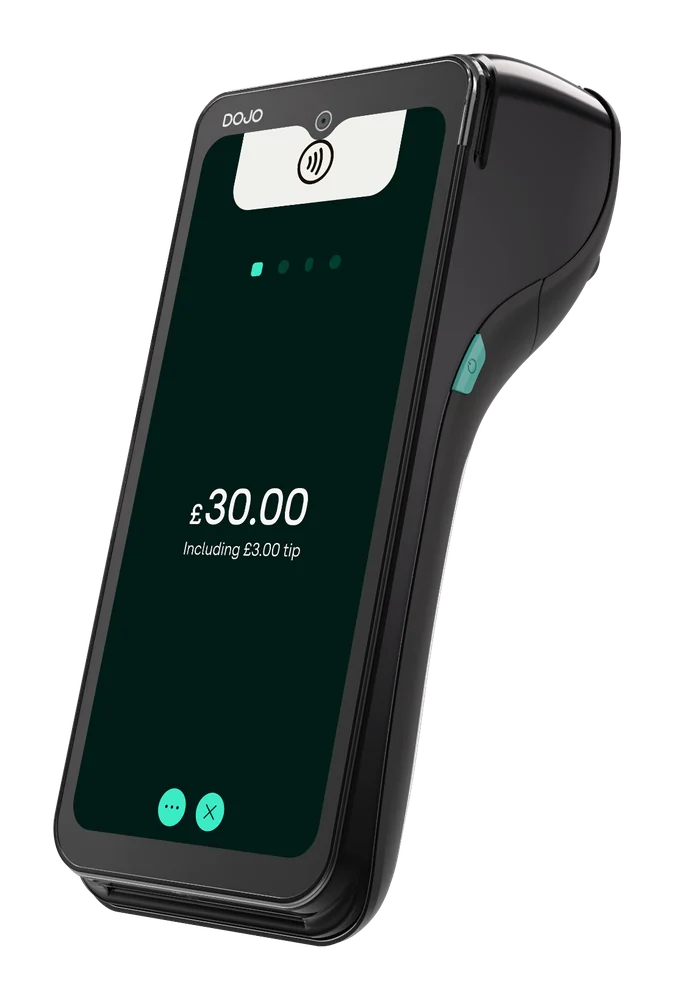
A portable card machine with Wi-Fi, 4G and a built-in receipt printer. For taking payment at the bar, at tables or outside.
Explore DOJO Go Max ↗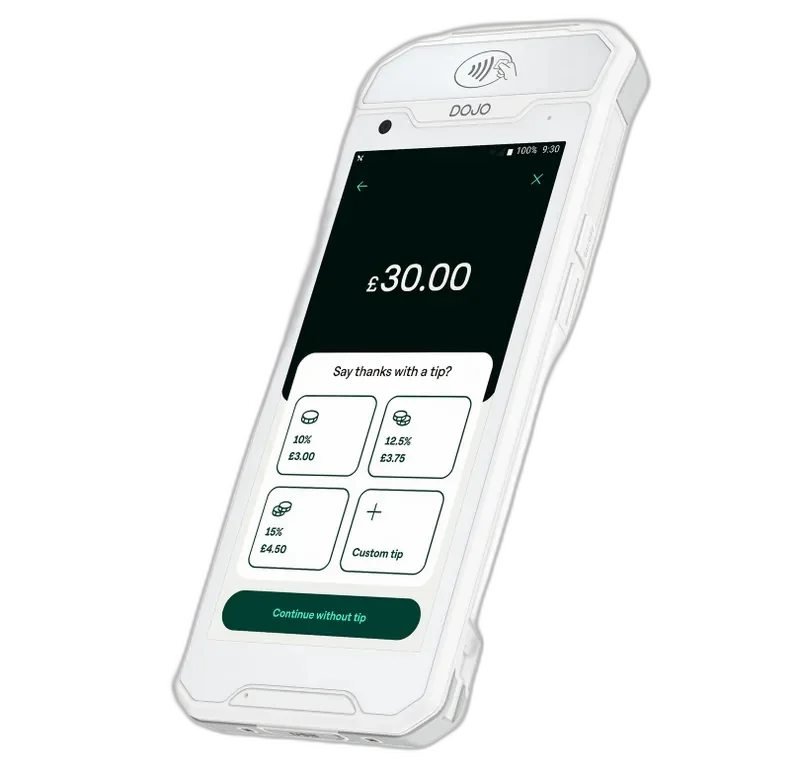
Take orders and payments on one handheld device with a supported EPOS integration. Worth considering if your pub serves food at tables.
Explore DOJO Pocket ↗Looking for phone-based contactless payments? See Tap to Pay on iPhone ↗
Card payment fees
The cost includes more than the rate on each card payment. Your quote should account for the machines you need, recurring charges and any EPOS costs, as well as transaction fees.
A recent merchant statement lets you compare a new quote using your pub’s actual transactions, rather than someone else’s turnover or card mix.
Card processing fees explained ↗Switching to DOJO
You can review a new quote while your existing agreement is active. Before arranging the change, check its notice period, cancellation charges and any separate terminal rental.
Agree the installation date, EPOS connection and responsibilities with the new providers before ending the old service. Any offer to contribute towards exit fees needs to be confirmed for your pub in writing.
How we help with the switch ↗Other industries we serve
Explore our payment guidance for restaurants, shops and other businesses.
DOJO lists bill-splitting and tipping among Go Max’s features. Confirm the workflow with your EPOS supplier, including how tips and part-payments appear in the till and payment reports.
DOJO Pocket combines orders and payments through selected EPOS integrations. Your supplier needs to confirm support for your software and configuration. It is a different option from simply using a portable terminal to collect payment.
The number depends on your bars, tills and table service. Count the places taking payments at the same time on a busy shift. A pub may combine fixed machines at its tills with portable machines for the floor or garden. Include every device in the cost comparison.
A portable terminal can be used outside where it has a usable connection. Go Max supports Wi-Fi and 4G, but coverage needs checking at the actual tables and service points. Plan charging and safe storage as well.
Go Max supports both Wi-Fi and 4G, so an available mobile network can provide an alternative connection. DOJO Wired uses Wi-Fi or Ethernet. Neither description establishes that a payment will work without a network; agree an outage plan for the devices you choose.
A payment connection sends the transaction amount between your till and card machine. Tabs, stock control and ordering depend on the EPOS software and the features enabled. Confirm those functions separately rather than assuming they are included with any card machine.
Use a recent merchant statement and compare the total using the same transaction volume and card mix. Include device and platform fees, authorisation charges, EPOS costs, refunds and contract terms. A lower headline rate does not establish a lower total bill.
Review your current notice period, cancellation charges and terminal rental before booking a switch. Agree the new installation and EPOS connection first. Any contribution towards exit fees needs confirming in the written offer for your pub.
Let’s talk about your pub
Tell us which till you use, how many card machines you need and whether you take payment at the bar or at tables.
We can start with those details, then compare the options and costs for your business.
Product information checked on 14 October 2026 against DOJO Go Max, DOJO Wired, DOJO Pocket, DOJO integrated payments. Pricing and compatibility depend on your agreement and EPOS setup.
 Retail
 Restaurants
 Markets, food trucks & events
 Health & beauty
 Trades & services